Free to download · Yours for good

Mementa

Where the moments you save become books you can hold.

Journaling built for Windows. Handwrite your notes, peel full sticker packs as clean cutouts, and read and annotate your ebooks and comics with real margin notes. Then order your notebook as a real hardcover, and keep it right beside you instead of on your hard drive.

Windows 11 · ARM64 and x64

Features

The journaling app Windows users spent years waiting for.

The best ones land on iPad and stay there. Mementa was made on a Surface, for a Surface, by someone who uses the same stylus you do. Handwriting isn't an extra here. It's the point. Your keyboard can sit this one out.

Built for Windows. Built for a pen. Built to be yours.

Mementa open on a Surface tablet in light mode, a stylus resting on a handwritten journal page
Notebook View

See both pages at once, side by side.

Mementa opens your notebook as a true spread, so you flip through it like a real book, not a file on a screen. The lower tray of quick reference pages lets you jump to any one at a glance, and you can add, delete, or drag them into a new order whenever you want.

Mementa home shelf shown on a tablet with notebooks, PDFs, comics, and EPUB books
Your shelf

Student, parent, professional, hobbyist. Same person, same shelf.

Every part of your life gets its own notebook, and the ones that belong together share a stack. Class notes in one, recipes in another, your kid's art in a third. All the different versions of you live here without competing for space. Each notebook carries its own cover and a ribbon with its name, so one glance tells you where everything is.

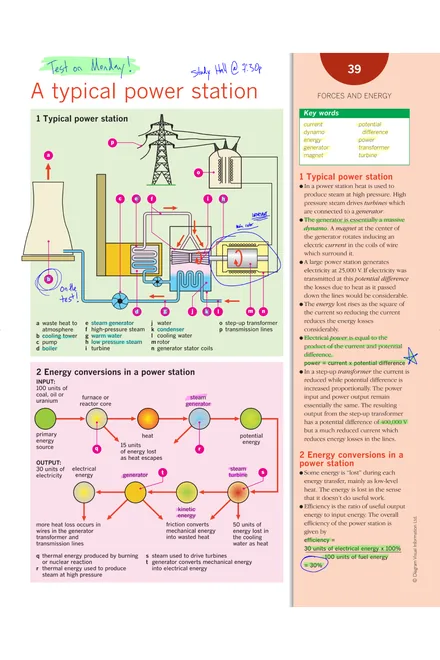
A CBZ comic book open in the Mementa reader on a tablet, showing a full-page comic strip layout
Read and annotate

Some books you just read. Others you write all over.

Your comics, ebooks, and PDFs live right next to your notebooks, so the book you're reading and the journal you're filling open from the same place. And a PDF stops being a document the moment you bring it in. Lecture handouts, contracts, manuals: each becomes one of your books, your handwriting on top and the original underneath, untouched.

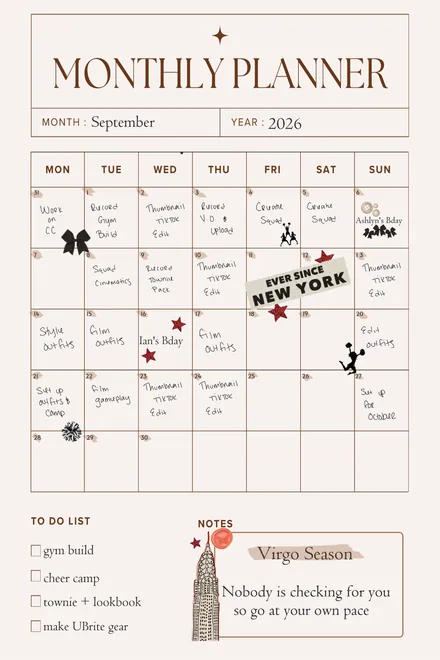
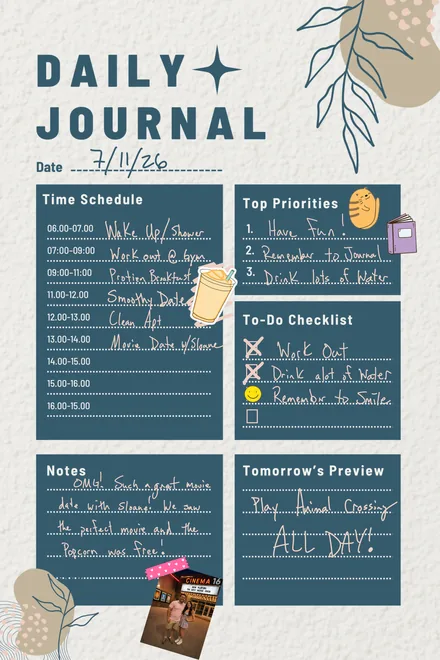
A bullet journal page in Mementa on a dot grid background, with handwritten numbered lists, a July to-do list with checkboxes, green highlighter banners, and cat and star stickers
Planners and layouts

The habit tracker is the only habit that stuck.

Rule out the grid by hand once, save that page to your Templates, and it comes back as a background any week you want it. No redrawing. The layout you already bought works here. Drop an Etsy planner PDF or a Canva spread behind one page, or behind the whole notebook.

Toolkit

None of these tools take you off the page.

Everything here works where your hand already is. That was the rule for all of them. If a tool makes you put the pen down to go find it, it isn't finished.

These are the ones people reach for most.

New

Write by hand. Leave with text.

Lasso writing you already did and hold the pen on it. Or write next to an open text box and watch each word land typed.

It learns your language, the words you write most, and the corrections you make. All of it stays on your own machine.

Handwritten planner text selected in Mementa with resize handles, converted in place from ink to typed text
Lasso it, then hold
An open Mementa text box reading Work Out, with the handwritten words at the Gym waiting below to flow in as typed text
Or write beside the box
A hand drawn jellyfish on a Mementa page with a dashed lasso closing around it and the prompt Draw a loop around what you want to keep
New

Anything you draw becomes a sticker.

Lasso something you made and it lands in your library, ready for every notebook you open after that.

Four boxes at different heights selected together on a Mementa page, inside one selection frame, with a bar above reading 4 selected and a row of align and distribute buttons
New

Line it all up in one move.

Lasso several things at once, then align them six ways or space them evenly, with a single undo for the whole arrangement.

A hand holding a stylus over a Mementa dot grid page, with the flat barrel button visible on the side of the pen
Shortcuts

One button on your pen. Four jobs.

Toggle tools in the air, stamp a copy, hold it to constrain a shape, or flip the pen over to erase without switching anything.

A roughly drawn teal triangle beside the clean triangle Mementa turned it into, shown with selection handles
Shapes

Draw it rough. Keep it clean.

Sketch a wobbly triangle, hold still for a beat, and it settles into a real one. Or reach for a proper shape with fill, stroke, and rounded corners.

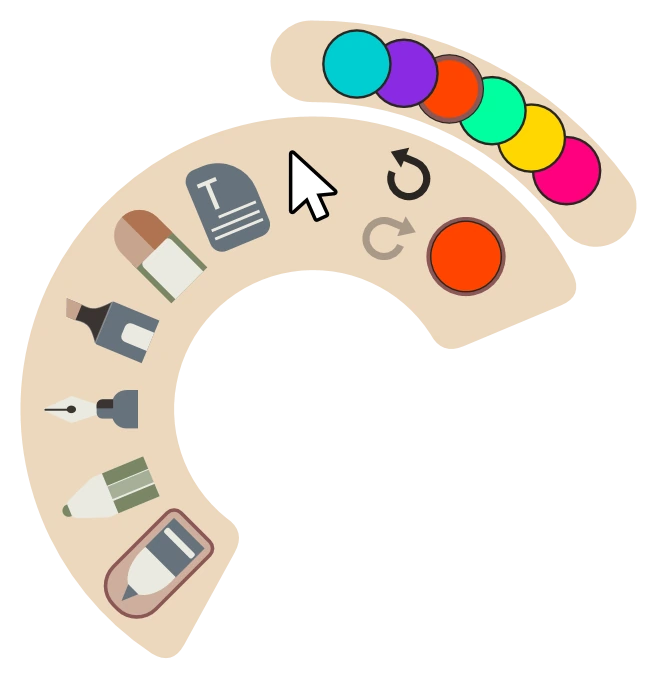
Four different strokes drawn above the Mementa pen dock: a smooth round tip, textured pencil, bright fountain line, and a soft highlighter band
Ink

Four pens that behave differently.

Rough something in with the pencil, sign it with the fountain nib that swells as you speed up, then run the highlighter over what matters. Each pen holds the color and thickness you gave it, so switching back costs you nothing.

The Mementa export panel showing an Export button above a separate Save this page as a template button, noted as saving straight into your Templates
New

Any page can become your next background.

One tap saves the page you are on into your Templates at full size, so a layout you built by hand is reusable forever.

Input

Pen writes. Finger moves. Mouse works.

Three kinds of input, kept separate on purpose, so resting your hand on the page never leaves a mark and pinching never draws a line.

  • PenDraws, writes, and erases the moment you flip it over.
  • FingerPans, pinches to zoom, and turns pages. It never inks.
  • MouseLeft click draws and selects. Right click stands in for the barrel button.
The Mementa layers rail showing three stacked layers, each with a lock, a visibility eye, and a delete control, one of them hidden
Layers

Layers, without the layer panel headache.

Lock the background so you never draw on it by accident, hide a layer to see what sits under it, and crop, rotate, or fade a photo with the original left untouched.

The Mementa export panel with page scope set to whole notebook, this page, or a range, a PNG file type, and a transparent background option
Export

Take exactly the pages you want.

Send one page to a friend, a range to the print shop, or the ink by itself as a transparent PNG you can drop into anything else. Five file types and three quality levels.

The Mementa color picker open with a spectrum, a hex field, and an eyedropper, above a tray of saved palette swatches
Color

A palette that ends up looking like you.

Pull a color straight off a photo you pasted, keep it, and every tool you pick up after that remembers it. Twenty one ready made palettes if you would rather not build your own.

The Mementa Sticker Book open on a tablet with chapters, tags, search, and reusable stickers
Sticker Book

Every sticker you love, finally in one place.

Collecting stickers is half the fun. Using them shouldn't be the hard part. Packs arrive as one big sheet or a PDF, which usually means cropping every piece by hand in another app first. Not here. Peel a pack once and it's there in every notebook you open after that.

01 Peel the pack

Import image sheets or PDFs, review detected pieces, merge or delete boxes, and save each accepted cutout as its own transparent PNG.

02 Keep the collection

Chapters, groups, tags, search, batch edits, and Unsorted keep small collections easy and large collections sane.

03 Make the page yours

Load the sticker chapters for that notebook, tap or drag stickers onto the page, then move, rotate, resize, crop, copy, and adjust opacity.

Sticker artwork shown in these screenshots is designed by Magnific and appears for illustration only. It is not included in the app. You bring your own sticker packs.

Bookmaking

You didn't make a file. You made a book.

The trip you all took. The baby's first year. The recipe book you've been building for years. Mementa prints any notebook on demand, hardcover or softcover, one copy or a dozen, and ships it to your door. Keep one on the shelf and send the rest to everyone who was there.

Hands holding a finished hardcover notebook with a pink and orange floral cover, printed from Mementa, with a stack of books and a mug of tea behind
Files get backed up. Books get handed down.

The recipes your grandmother wrote out by hand, printed for every cousin. The adoption book that begins before the day they came home. The comic you have been drawing since you were fourteen, finally in print. A run of your own notebooks to sell at a market. You don't print a book because you need a copy. You print it because it matters to someone.

Mementa notebook creation controls showing the four print shapes: Portrait, Square, A-series, and Wide, with size, cover, and color choices
01

Pick the size first.

The shape you choose is exactly how it prints, set from the first page. Nothing gets cropped to fit later.

Mementa showing a finished book as a facing page spread before printing
02

See it before you buy it.

Flip through the finished book and design the covers.

Mementa print options screen with size, cover finish, binding, quantity, and checkout controls
03

Place your order.

Hardcover or softcover, matte or gloss finish, however many copies you want. Pay with Stripe or PayPal without leaving the app, and shipping is free.

What are you making?

Portrait for journals, Square for photos, A-series for planners, Wide for art and comics. Each one comes in two sizes, and you don't have to decide which until you order.

  • Portrait
    Small
    6 × 9 in
    Large
    6.14 × 9.21 in
  • Square
    Small
    7.5 × 7.5 in
    Large
    8.5 × 8.5 in
  • A-series
    Small
    5.83 × 8.27 in
    Large
    8.27 × 11.69 in
  • Wide
    Small
    7.44 × 9.68 in
    Large
    8.5 × 11 in

Softcover from $20Hardcover from $34

  • Matte or gloss cover
  • Shipping included
  • No subscription
  • No minimum order

Final price depends on page count and size, plus tax. You see the exact total before checkout.

Now on the Microsoft Store

Start your first page in under a minute.

Free to install, and permanently free for anyone who installs it now. Get it from the Microsoft Store for a verified download and automatic updates.

Get it from Microsoft
  • PlatformWindows 11
  • ArchitectureARM64 & x64
  • PriceFree
  • Versionv1.0.10

A straight answer on price

  • Free right now. Install Mementa today and it costs nothing. No trial clock, no locked features, no card.
  • Free for you, permanently. Mementa may one day cost money for new users. Not for you. Install it now and it stays yours, free, with every update included.
  • Never a subscription. Not monthly, not yearly, not ever. If Mementa is ever paid it will be a single payment, once. We'd rather you own it than rent it.

Private by default, local by design, and made to leave the screen.

FAQ

Good to know.

Is Mementa really free?

Yes. Install it and it costs nothing, with no trial clock and no locked features. Mementa may cost money for new users at some point. If you install it now, that does not apply to you: it stays yours, free, with every update included.

Will there ever be a subscription?

No. Not monthly, not yearly, not ever. If Mementa is ever paid it will be a single payment, once. We'd rather you own it than rent it.

What do I need to run Mementa?

A Windows 11 PC. Mementa runs natively on both ARM64 and x64 (Intel/AMD) machines. A pen or touchscreen is lovely to have, but a mouse works too.

Where are my notebooks stored?

Locally on your device. The core notebook library, Sticker Book, templates, reading data, and annotations do not require a cloud upload.

What can Mementa import and export?

Mementa can keep notebooks, PDFs, comics (CBZ and CBR), EPUB ebooks, and images on one shelf. Finished work can export to formats such as PDF, PNG, JPG, CBZ, EPUB, and portable Mementa notebook packages.

Can I order a printed book today?

Yes. Mementa prints on demand through a print partner and ships the finished book to you. Choose hardcover or softcover, a matte or gloss cover finish, and one of eight trim sizes. Pages are always printed in premium color on 80# coated white. Softcover starts at $20 and hardcover at $34, shipping included. Final price depends on page count and size, plus tax. You see the exact total before checkout.

What sizes can I print, and what does it cost?

Four page shapes, each in two sizes: Portrait (6 × 9 or 6.14 × 9.21 in), Square (7.5 × 7.5 or 8.5 × 8.5 in), A-series (5.83 × 8.27 or 8.27 × 11.69 in), and Wide (7.44 × 9.68 or 8.5 × 11 in). Covers are softcover or hardcover with a matte or gloss finish, and pages are always premium color on 80# coated white. Softcover starts at $20 and hardcover at $34, shipping included. Longer and larger books cost more, and tax is added at checkout.

Can I use Mementa as a digital planner or bullet journal?

Yes. Pages can use ruled lines, a blank sheet, a legal pad, or the dot grid most bullet journals start from. You can also import your own PDF or image as a page background, such as a planner layout or a habit tracker, and apply it to a single page or the whole notebook, then write on top by hand and add stickers.

Does Mementa work with a stylus like the Surface Pen?

Yes. Mementa is built pen-first and treats pen, touch, and mouse as separate kinds of input. The fountain pen varies its line as you write, from stylus pressure when your pen reports it, and from drawing speed when it does not. Touch and mouse work throughout if you do not have a pen.

Can Mementa turn my handwriting into text?

Yes, and it happens on the page rather than in a separate writing strip. There are two ways. Lasso your writing with the Knife tool and hold the pen still on the selection, and the ink becomes typed text in the same spot, at the same size and color, already selected so you can move or resize it. Or open a text box and write beside it with the pen: pause for a beat and your words flow into the box as typed text while the ink fades away. Recognition runs entirely on your device and adapts over time to the language you use, the words you write often, and the corrections you make. One undo puts converted writing back exactly as you wrote it.

Can I make my own stickers and page templates?

Yes. Open the sticker drawer, choose Make sticker, and draw a loop around anything on the page. Mementa redraws that region from your artwork across every visible layer, crops it to the art, and saves it as a transparent sticker in your shared library, available in every notebook right away. Your original layers are left untouched. Pages work the same way: one button saves the page you are on straight into your Templates library at full size, so a layout you designed by hand can be reused as a background anywhere else.

What do people make with Mementa?

Travel journals, baby books, adoption books, wedding albums, memorial books, and kid art yearbooks. Family recipe books, especially the ones built around a grandmother's handwriting. Medical scrapbooks, NICU and treatment journals, and grief journals for the harder years. College art portfolios, lecture notes, study guides, lab notebooks, homeschool portfolios, and teacher planners. Comics, zines, sketchbooks, nature and garden journals, reading journals, songwriting notebooks, and tabletop campaign logs. Bullet journals, habit trackers, daily planners, and gratitude journals. Junk journalers and scrapbookers use the Sticker Book to collect pieces and layer them onto a page. Whatever you make can be printed as a real book at the end.

Can I make a photo book or a scrapbook?

Yes. Add photos, cut sticker sheets into reusable pieces with the Sticker Book, write by hand around them, and pick a page shape that suits the images. Square suits photos particularly well. The finished notebook can be printed as a hardcover photo book and shipped to you.

How do I install Mementa?

Click "Get it from Microsoft Store" above, then choose Install. The Store handles installation and keeps Mementa updated automatically, with no setup file to run or approve.

Contact

Get in touch.

Questions, feedback, or a note about an order? Send us a message and a real person at Mementa will get back to you.

We only use your details to reply to you. No spam.