
Ebooks beside your notebooks
Add an EPUB to your shelf and it sits with your notebooks, PDFs and comics, with its own cover. Open it and it reads like an ebook should: the text flows to fit the window and the size you choose.
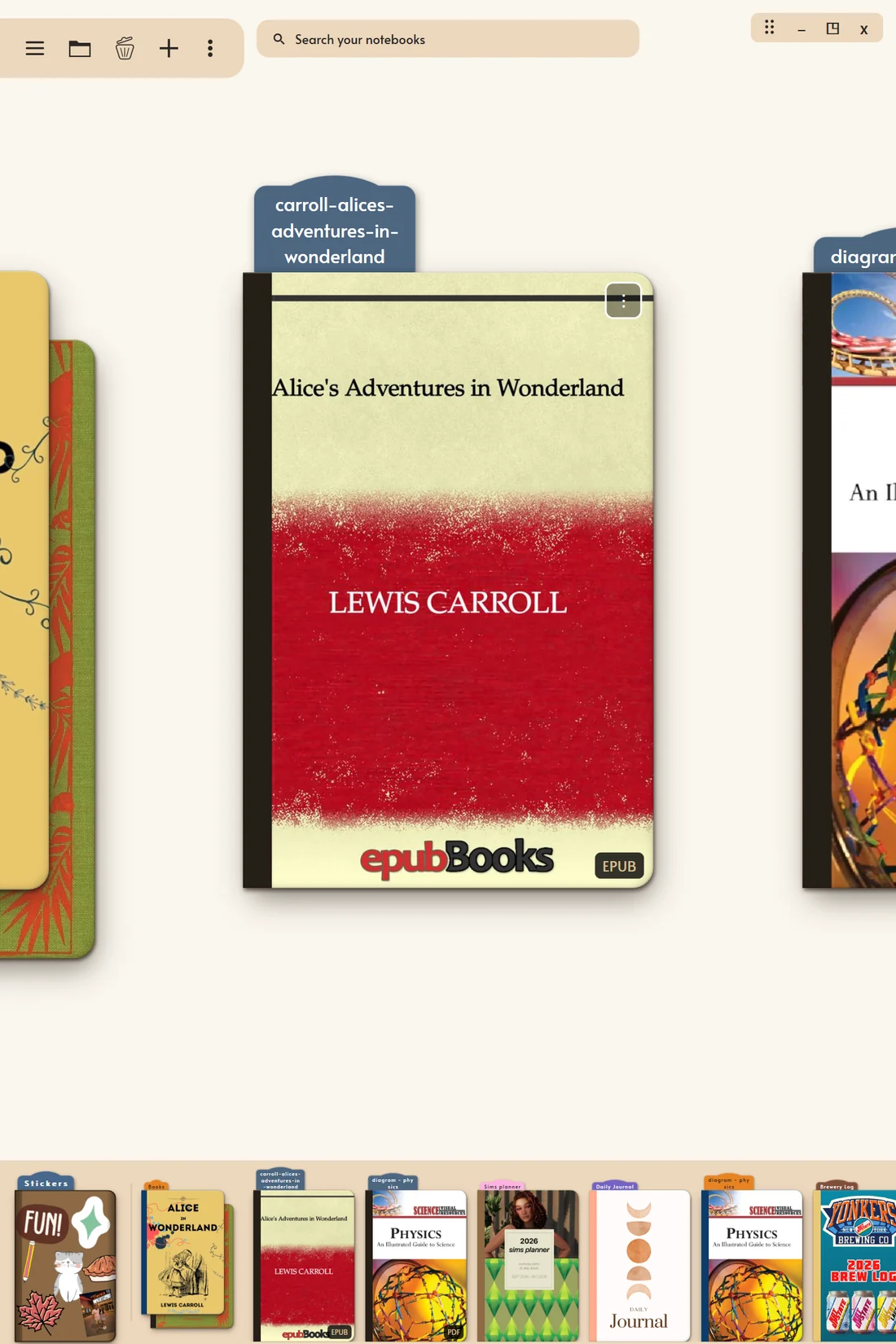
What the reader does
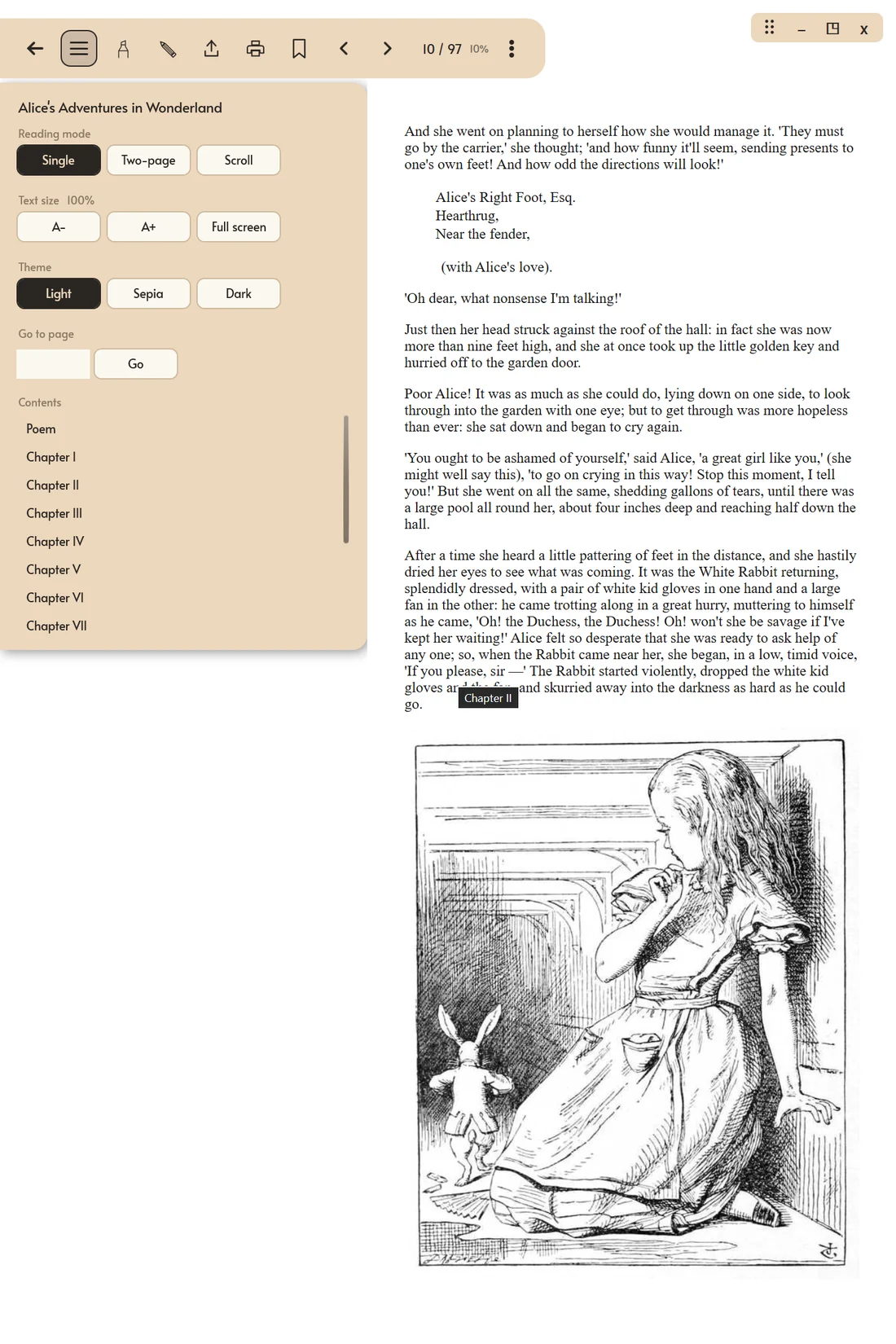
- Table of contents, to jump to any chapter
- Text size you can adjust
- Single page, two page spread, or continuous scroll, the same three layouts the comic reader has
- Light, sepia or dark page, shared with the PDF reader and kept apart from the app theme
- Bookmarks, and your location and progress remembered
- Highlights that stay with the book across sessions
Highlight, and take it back
Drag across a passage to highlight it in translucent ink you can read straight through. Changed your mind? Rub it out with the back of the pen, or tap it. See reading highlights.
From reading to writing
When a book turns into a project, a study guide, a reading journal, a book club copy full of notes, tap the pencil. Mementa Notebook turns the book into a notebook in the shape you choose, opens it on the page you were reading, and brings your highlights across as real strokes. The original stays on your shelf untouched. See EPUB to notebook.
Search inside your books
The words of every EPUB on your shelf are searchable from the main menu, and a result lands on the word itself, not just somewhere on the same screen. See handwriting search.
At a glance
- Table of contents, adjustable text size, and bookmarks
- Light, sepia and dark reading themes
- Paginated or scrolling flow
- Scripting inside the book is disabled, an EPUB cannot run code
Questions
What is a good EPUB reader for Windows 11?
Mementa reads EPUB ebooks with a table of contents, adjustable text size, bookmarks, highlights, and light, sepia or dark pages, and keeps them on the same shelf as your notebooks.
Can Mementa read Kindle books?
No. Mementa reads EPUB files. It does not open Kindle books.
Can it read DRM protected ebooks?
No. Mementa opens EPUB files without copy protection, such as books you bought from stores that sell them DRM free, or public domain books.
Can I write in an ebook?
Yes. Tap the pencil and the book becomes a notebook you can draw and write in, with your highlights carried across. The original ebook stays as it was.
Try it yourself
$4.99 once, and Mementa is yours. Every update included, and no subscription, ever.
Get it on the Microsoft Store