
Keep what you draw
A doodle you are proud of, a hand lettered word, a little map, a border you spent ten minutes on. On paper, it lives on one page forever. In Mementa Notebook, you can keep it.
- Draw the thing you want to keep. It can sit across several layers.
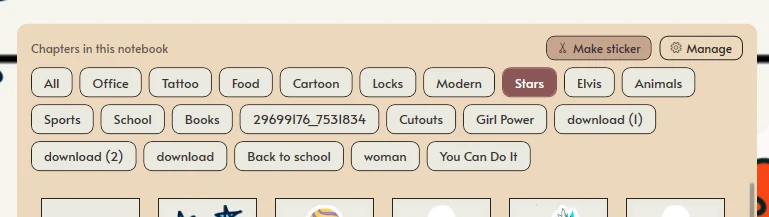
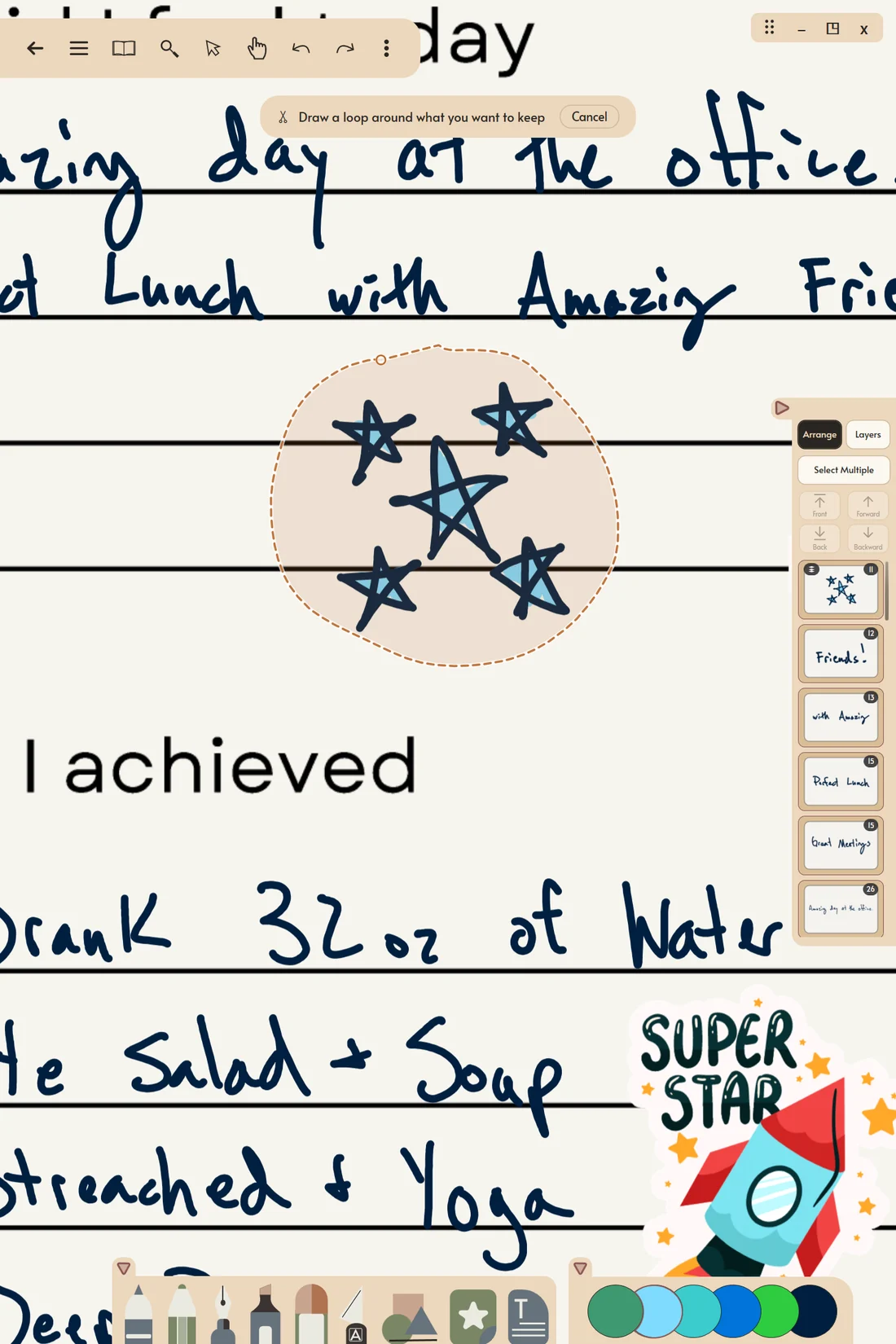
- Open the sticker drawer, tap Make sticker, the red button at the top of the sticker pop up, then draw a loop around it.
- A short Cutout review opens, with keep and erase brushes and the edge sliders.
- Choose a chapter, add tags, and save it like any other sticker.
It is in your library at once, ready to place in this notebook or any other.
Redrawn, not screenshotted
Mementa does not grab a picture of the screen. It redraws the area inside your loop fresh from your ink: every visible layer, bottom to top, with everything outside the loop left transparent. Locked layers count, hidden ones do not. A small motif is drawn at a higher resolution, so it stays sharp when you place it larger later. And the page you drew it on is left exactly as it was.
Cut from photos too
The Knife does the same for photographs. Draw a loop on a photo, over no ink, and that piece comes away as its own sticker, cut on exactly the line you drew. See cutting photos.
Your own sticker pack
Over time this becomes a collection only you have: your lettering, your doodles, your icons, organized in the Sticker Book with chapters and tags. Export any of them as a transparent PNG to use outside Mementa, or to print as a real sticker sheet.
Sticker artwork shown on this page is designed by Magnific and appears for illustration only. It is not included in the app. You bring your own sticker packs.
At a glance
- Lasso any drawing on a page and save it into the shared library
- The sticker is redrawn from the artwork, not grabbed off the screen
- A review step before it is added, so you can see what you captured
Questions
How do I make my own digital stickers?
Draw on a page, open the sticker drawer, tap Make sticker, and loop around your drawing. Review the cutout, pick a chapter, and save.
Will my sticker be blurry if I make it bigger?
Mementa redraws it from your ink rather than copying the screen, and draws small motifs at a higher resolution, so it holds up when you place it larger.
Can I use my stickers outside Mementa?
Yes. Export a sticker as a transparent PNG and drop it into another app, a video, or a sheet you print.
Try it yourself
$4.99 once, and Mementa is yours. Every update included, and no subscription, ever.
Get it on the Microsoft Store