
What it does
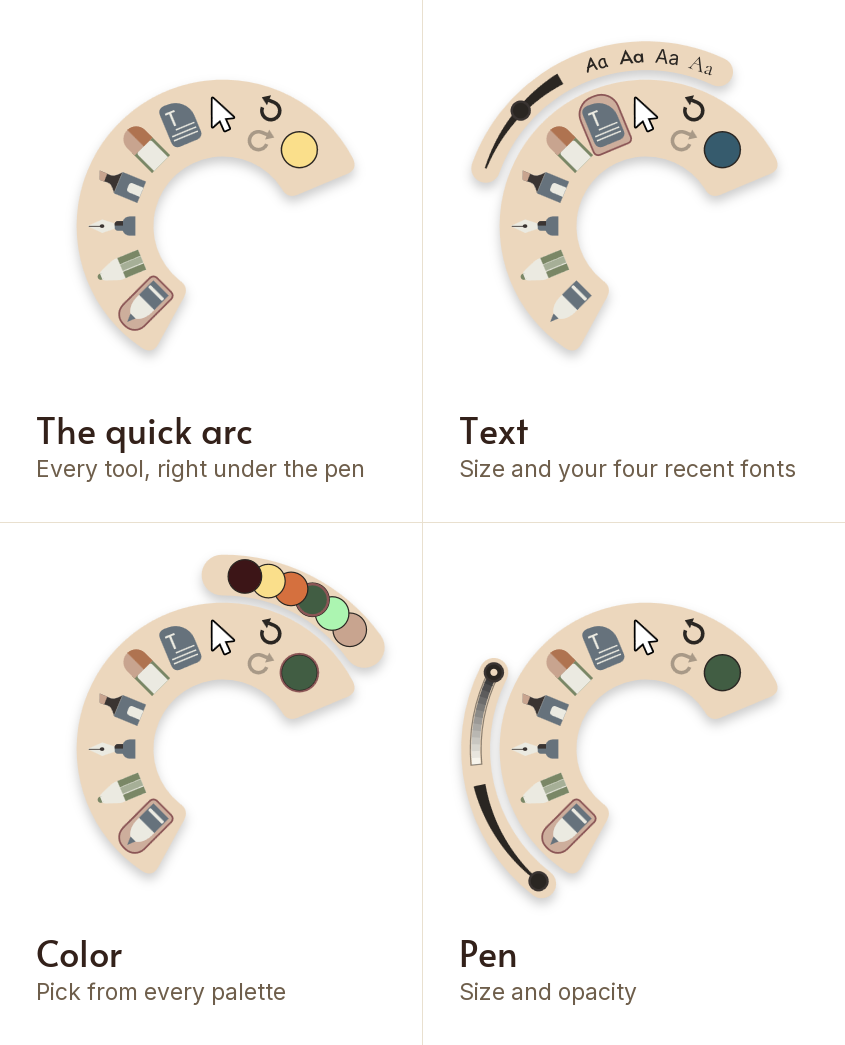
- Double click the pen's barrel button with the tip off the page and an arc of tools opens under it
- Pick a tool, a color, undo or redo without crossing the page to the dock
- The arc opens wherever the pen is, so your hand never leaves the writing
- It works on every tool, not a chosen few
- It stays open while you pick, and a tap on the page closes it without leaving a mark
- Change a pen's size and opacity right on the arc
- Set the text size, and pick from your four most recent fonts
- Pick any color from any of your palettes, swiping between them
Try it yourself
$4.99 once, and Mementa is yours. Every update included, and no subscription, ever.
Get it on the Microsoft Store